
HDI pool design rules for Altium Designer
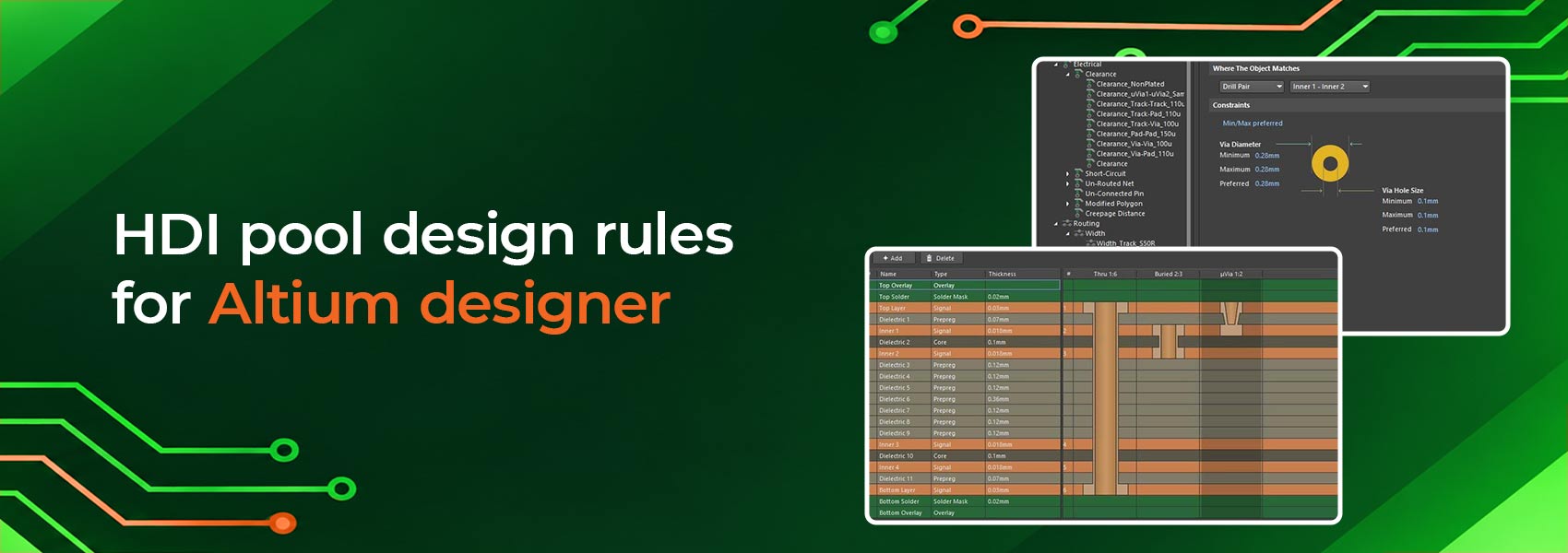
Download predefined PCB build-up data and matching Altium design rules to prepare your layout for manufacturing from the start.
Does your HDI PCB really need a custom buildup?
Not necessarily. In many cases, a predefined construction is entirely sufficient to meet the electrical, thermal and mechanical requirements of a PCB. Why develop a new construction when an established buildup already meets your requirements?
A predefined buildup specifies the physical construction of the PCB, including its layer arrangement, materials and thicknesses. It provides a defined manufacturing framework without restricting the individual design of the PCB.
Standardisation also has practical advantages. It reduces the need to develop and evaluate individual constructions, makes manufacturing conditions more predictable and allows compatible PCB designs to share production panels through pooling. This can reduce manufacturing costs and lead times.
Eurocircuits supports this approach by providing predefined PCB buildups and matching design-rule files for all of its PCB manufacturing services and configurations. Developed to reflect the manufacturing capabilities of each buildup, these files bring the relevant manufacturing requirements directly into the ECAD environment.
Predefined buildups and design rules for your CAD system
In this article, we use the HDI pool to illustrate how to select a buildup, download the corresponding Altium files and import them into your CAD environment.
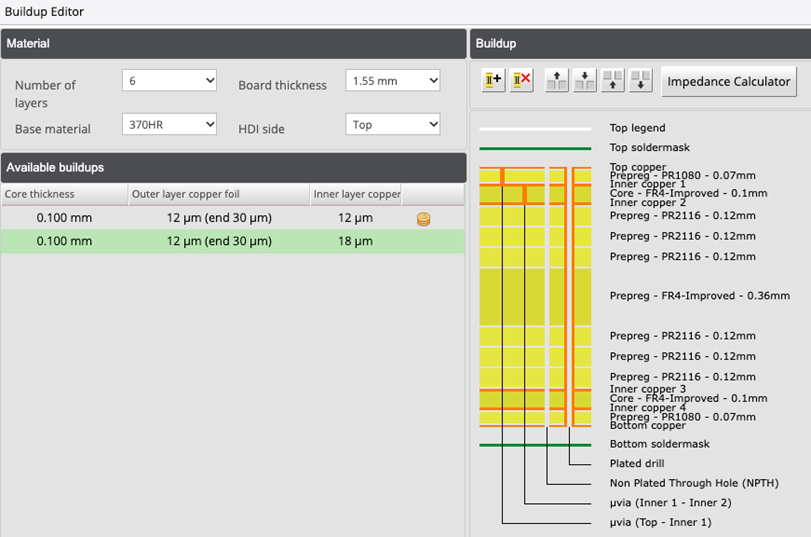
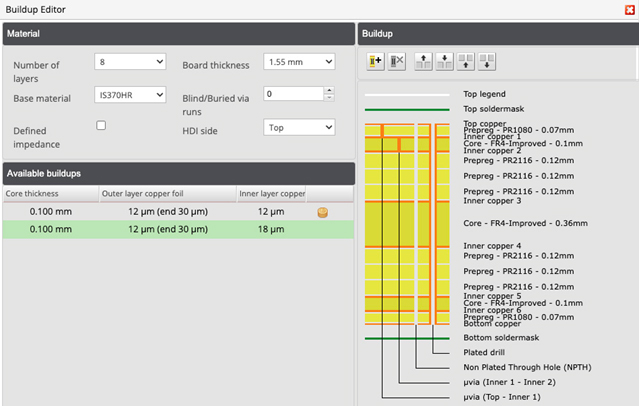
Predefined 6- and 8-layer buildups for the Eurocircuits HDI pool. Select the construction that meets your PCB design requirements.
Configure your PCB and download the Altium files
First, Sign in to your Eurocircuits Customer account and configure your PCB in the Eurocircuits Visualizer.
- Select the HDI pool and choose the appropriate 6- or 8-layer buildup.
- Set the required PCB parameters and complete the configuration.
- Create a project and add it to your shopping basket.
- In the shopping basket, select the relevant project and click Downloads.
- In the Downloads popup window, go to CAD board setup files and click Download.
The corresponding Altium files will be generated and downloaded automatically.
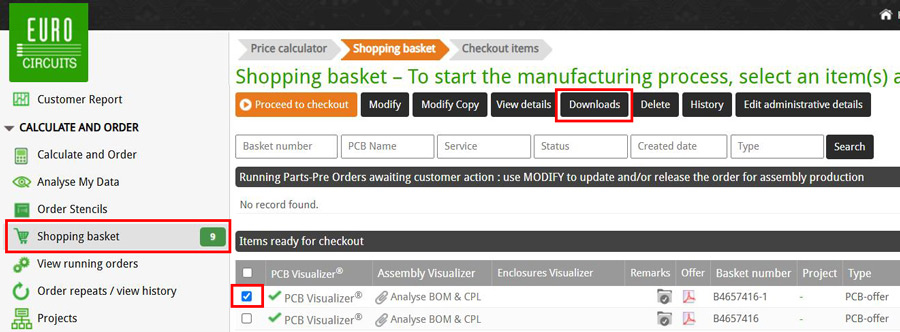
Download the corresponding Altium buildup and design-rule files from the CAD board setup files section in your shopping basket.
Need help finding the download options? Our guide Altium Designer templates with Eurocircuits design rules includes screenshots showing where to find and download the files in your Customer account.
For a detailed guide to configuring your PCB, see the PCB Configurator User Guide.
Import the files into Altium Designer
To import the PCB build-up, open your PCB project in Altium Designer and select File → Load Stackup from File. Choose the corresponding .stackupx file. The predefined layer structure will then be available in the Layer Stack Manager.
Next, load the matching .RUL design-rule file into your project. These rules provide the basis for configuring manufacturing-related parameters such as pad sizes, drill diameters, clearances and minimum dimensions. Review the imported settings and adapt them to your actual design requirements.
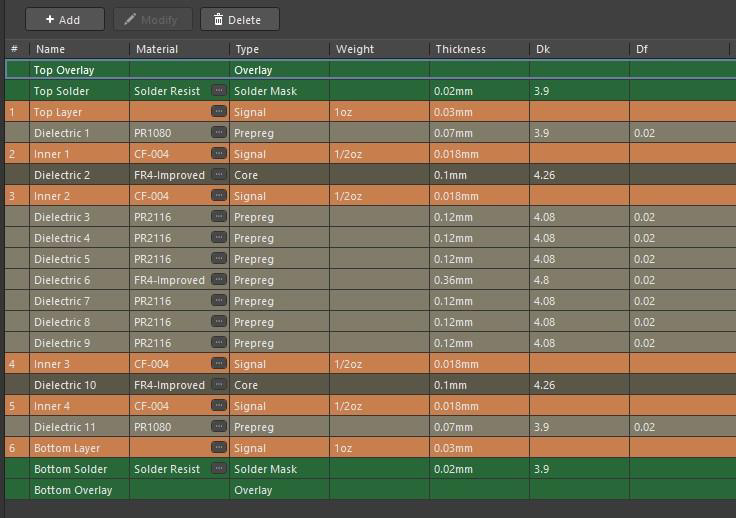
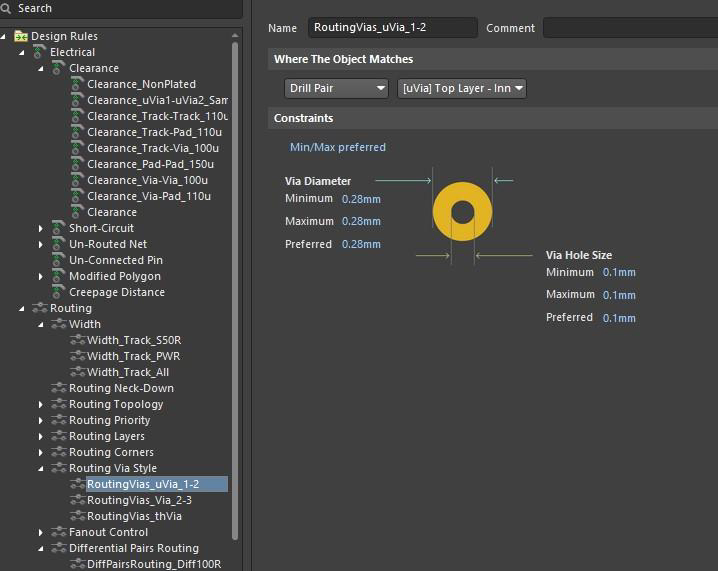
Import the predefined HDI pool buildup and configure design parameters such as pad sizes and drill diameters in Altium Designer.
Bring your product to market on time and within budget – join the Eurocircuits Community


